The F10 Shipment Details function allows users to view and update the Line of Business (LOB) and associated Service Types for an existing order.
The F10 Shipment tab is only available after a Pro has been successfully queried in the New Order screen.
Use the F10 Shipment Details function when you need to:
Review the current Line of Business assigned to an order.
Add or remove Service Types.
Update shipment classifications such as HazMat, Reefer, Pharma, Healthcare, High Value, Bulk Liquid, Rail, and other supported service offerings.
Modify shipment details after an order has been created.
Query an existing Pro in the New Order screen.
Locate the Shipment (F10) tab in the order toolbar.
Press F10 on the keyboard or left-click the Shipment (F10) tab. (As below)
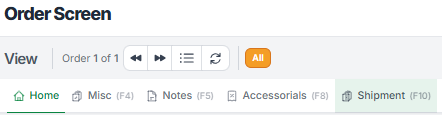
When the Shipment Details window opens, users can review:
The current Line of Business Code
Available Service Types
Existing Service Type selections associated with the order
To close the Shipment Details window without making changes:
Press F10 again.
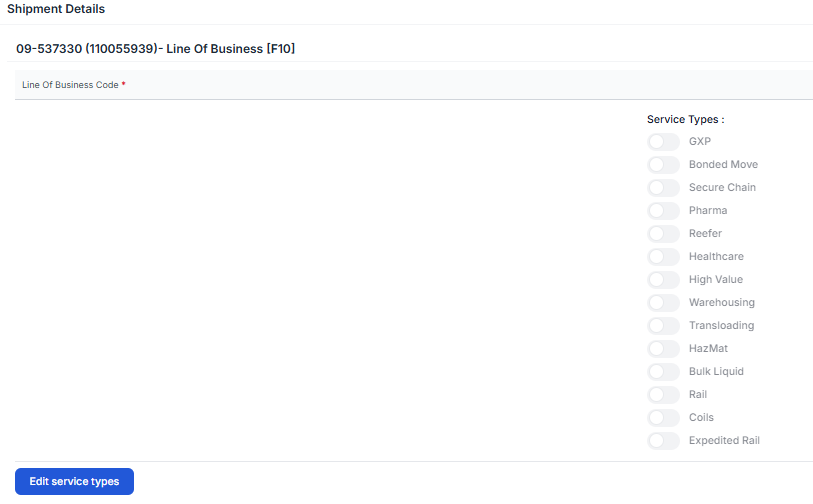
To modify Shipment Details:
Open the Shipment Details window.
Left-click Edit Service Types. (As below)
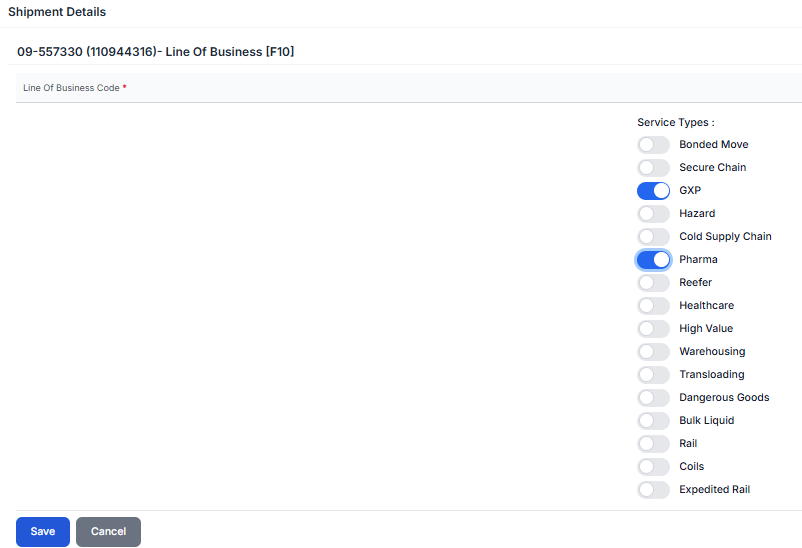
The screen enters edit mode and allows changes to the Line of Business and Service Types.
Service Types are enabled and disabled using the toggle controls.
To select a Service Type:
Locate the desired Service Type.
Left-click the toggle.
The toggle moves to the right indicating the Service Type is selected.
Multiple Service Types can be selected for the same order.
Examples of available Service Types include:
Bonded Move
Secure Chain
GXP
HazMat
Cold Supply Chain
Pharma
Reefer
Healthcare
High Value
Warehousing
Transloading
Dangerous Goods
Bulk Liquid
Rail
Coils
Expedited Rail
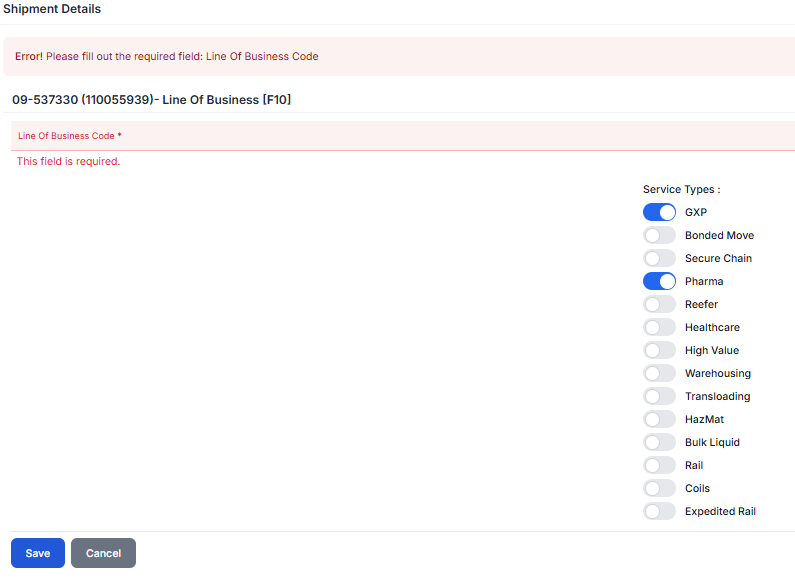
A valid Line of Business (LOB) must be selected before Shipment Details can be saved.
If a Line of Business is not selected, the system displays an error indicating that the field is required. (As below)
Important: The Line of Business Code is a required field and must be populated before updates can be saved.
After making updates:
Left-click Save to update the Shipment Details record.
Left-click Cancel to discard all changes and return to the previous values.
Once saved, the updated Line of Business and Service Type selections become associated with the order.
