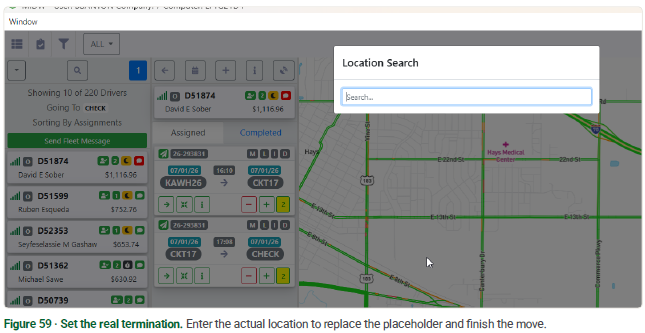
Terminals that run return guides often leave a placeholder LP code on the last leg of the move — codes like NRP, CHECK, or CALL. These stand in until the real termination location is known. The D.O. lets you find every placeholder that hasn't been resolved yet and change it to the actual termination — so nothing sits with a dummy destination.
Find the unresolved placeholders
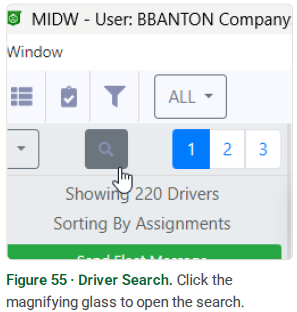
Use the magnifying glass to search for the placeholder code. This is the same Driver Search you use to find drivers by location.
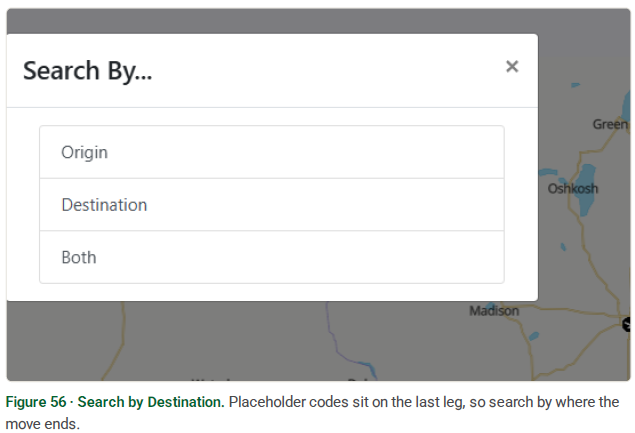
When prompted for what to search by, choose Destination — you want the drivers whose move ends on the placeholder.
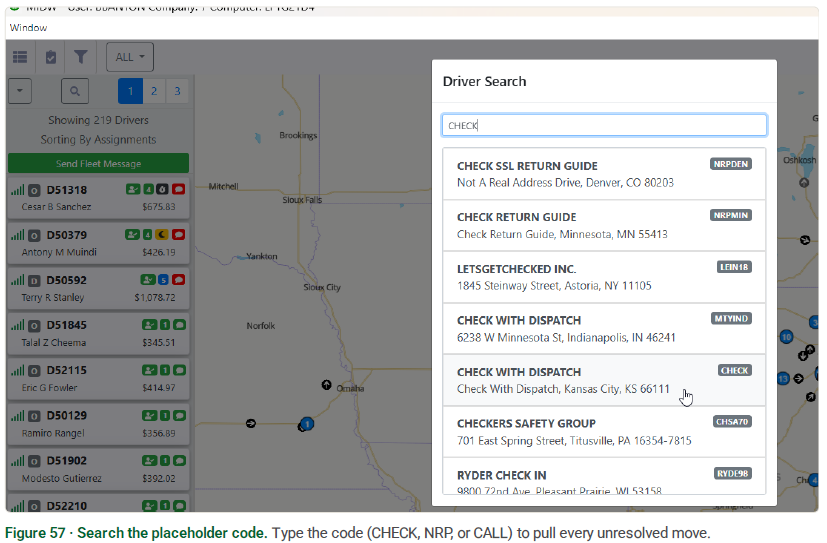
Enter the placeholder code — here, CHECK. Every driver who still has CHECK tied to them as a destination shows in the results.
Change the termination location
The list narrows to just the drivers still carrying the placeholder — the header reads Going To CHECK. Select a driver, and the placeholder LP shows on the last leg of the move.
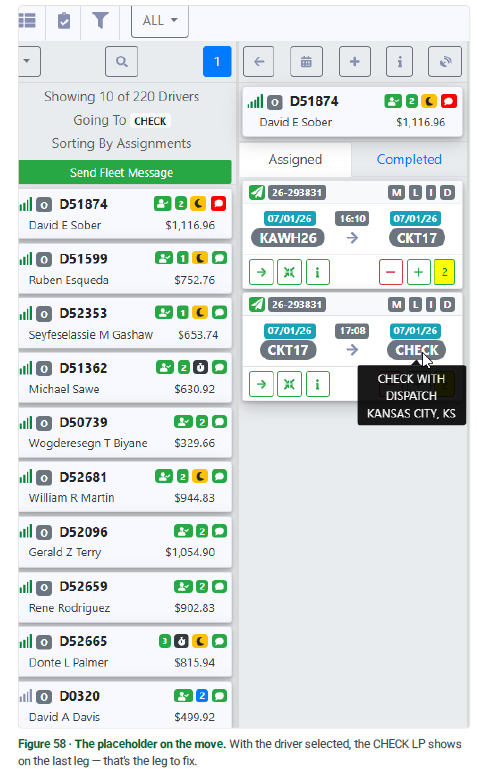
Click the placeholder LP code on the move. The Location Search opens — enter the actual termination location and select it. That swaps the placeholder for the real destination, and the move is resolved.