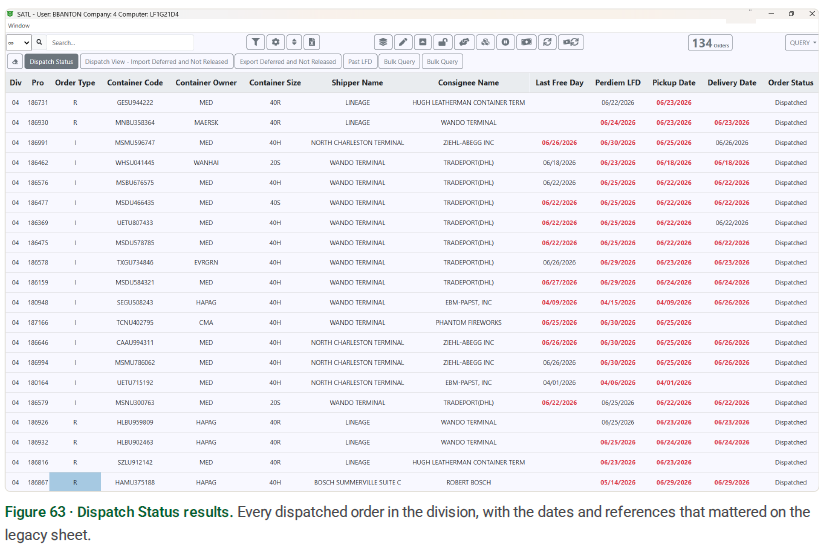
As the legacy dispatch worksheet is retired, the Worksheet reproduces the same order data in a sortable, searchable grid. Rebuild the views you relied on as filters, just as you do elsewhere in the D.O. This section provides two ready-to-import filters to start from and shows how to pull a specific day's pros.
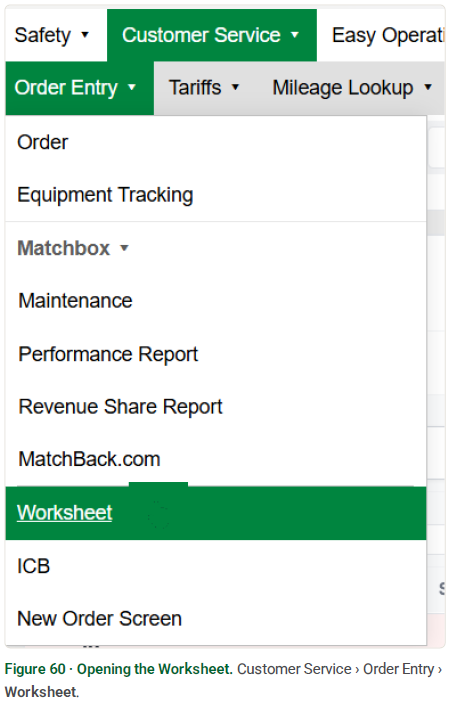
From the top menu, go to Customer Service › Order Entry › Worksheet.
Importing works just like it does in the D.O. — copy a filter's code from this guide and paste it in.
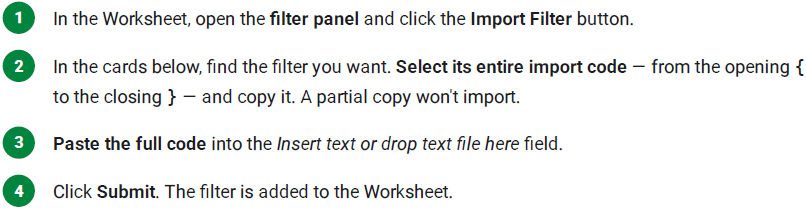

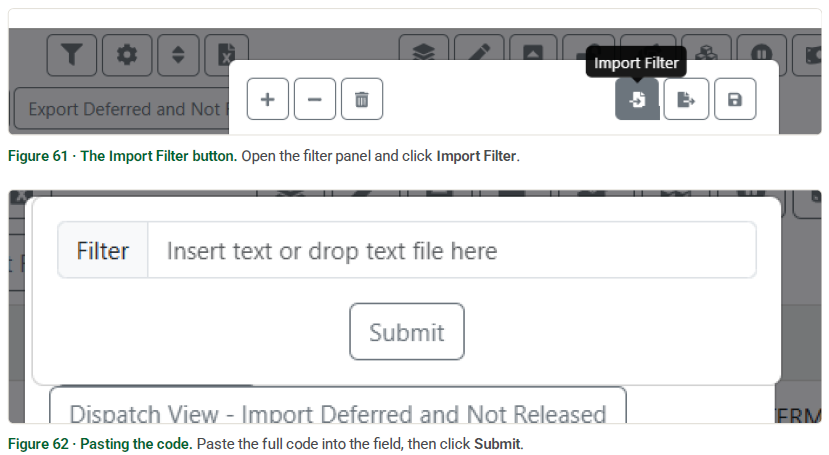
Each card describes what the filter shows and gives its exact import code. The examples use Division 04 — swap in your own division after importing.
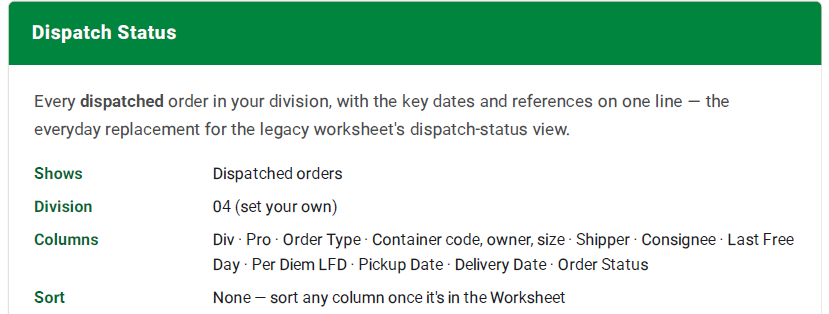
IMPORT CODE
{
"cols": [0,1,31,6,8,7,2,4,10,63,40,41,30],
"name": "Dispatch Status",
"sort": [],
"filter": {"div":["04"],"order_status":["D"]}
}
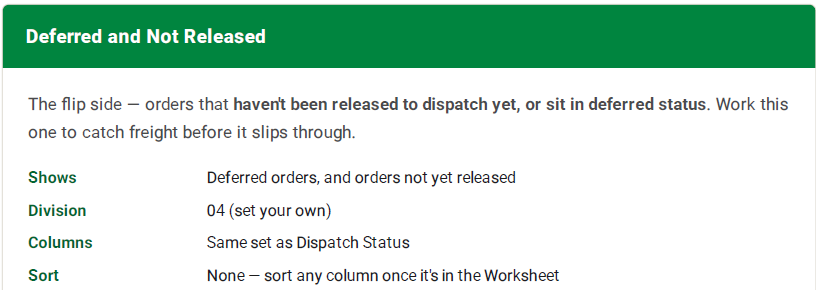
IMPORT CODE
{
"cols": [0,1,31,6,8,7,2,4,10,63,40,41,30],
"name": "Deferred and Not Released",
"sort": [],
"filter": {"div":["04"],"order_status":["X",""]}
}
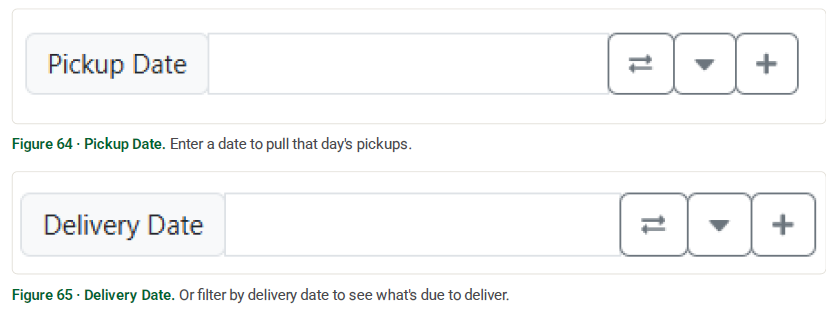
Inside the filter settings, the Pickup Date and Delivery Date fields let you narrow the list to a single day — handy when you need everything picking up or delivering on a given date.
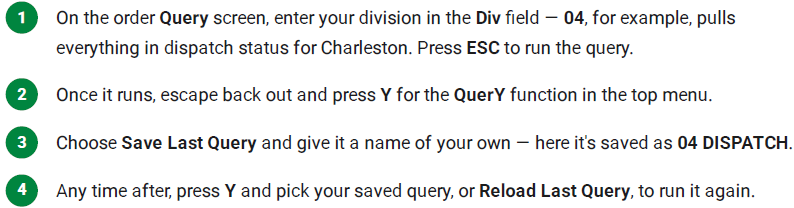
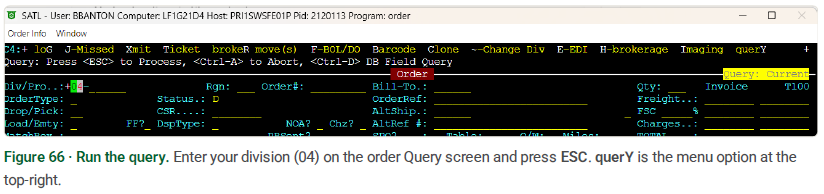
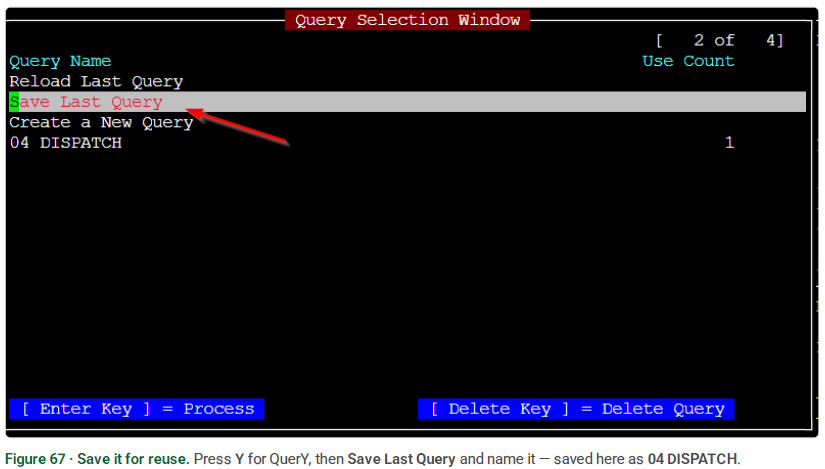
Prefer to work from the order screen? You can pull the same dispatch-status view there and save it as a reusable Query, so it's a couple of keystrokes to run again.