
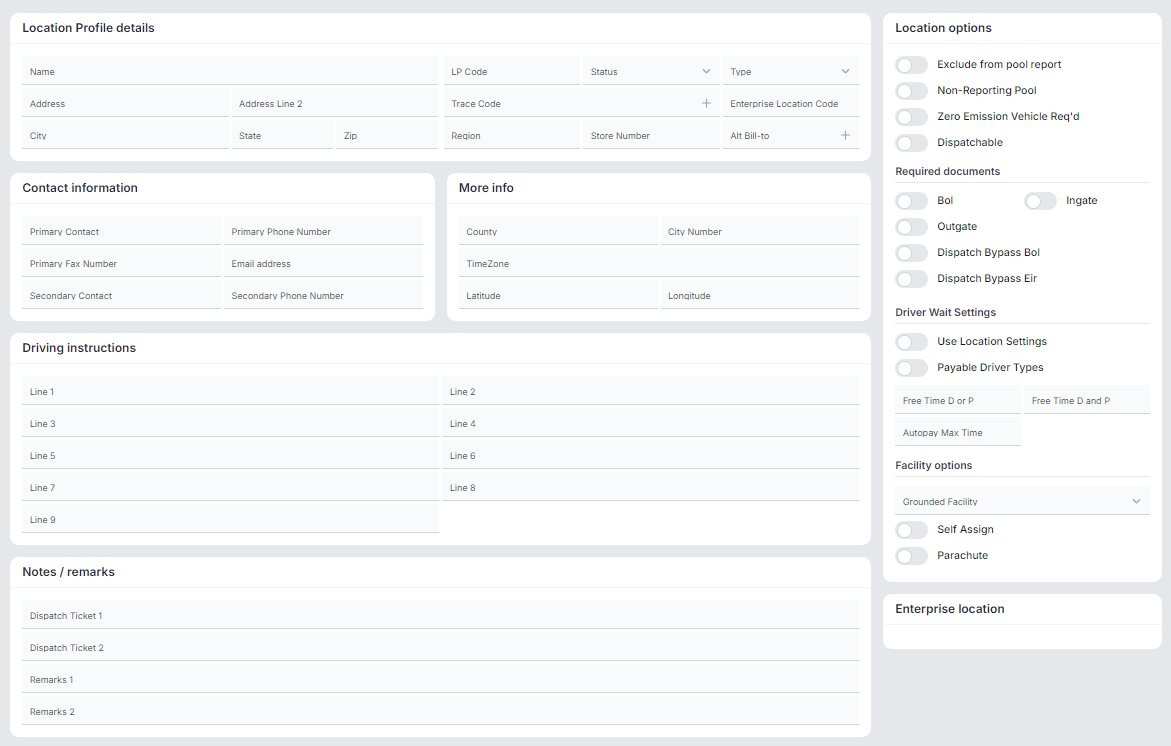
The Location Profile (LP) screen allows you to search for an already existing LP code and if user permissions exist, add a new LP record when creating a new customer location. The LP screen will both create the new LP code and automatically apply the correct Latitude & Longitude coordinates for the customer based on the address entered.
To access the Location Profile Screen from SWS main menu, go to Customer Service, left click on File Maintenance, then left click on LocationProfileScreen
The below screen will display:
Left click on the Crescent Moon symbol located at the top right of the screen to switch to “Dark Mode”. (See below)
To return to “Light Mode”, left click on this symbol:

Left click on the “Help Guide” symbol below to navigate to the SWS Help Center for training materials on this screen.
Refer to the other available Training docs contained within the New Location Profile Screen collection for instructions on how to use this screen.