
The Dispatch Optimizer is IMC’s primary dispatch tool and is used to:
Manage Freight in a specified market
Manage equipment pools in a specified market
Track & communicate with assigned driver base
Provide awareness of drivers’ Hours of Service
To access the Dispatch Optimizer (D.O.) from SWS main menu, go to Easy Operations, left click on Dispatch, then left click on Dispatch Optimizer.
Based on applicable filter settings, a similar view of the D.O. below will display.
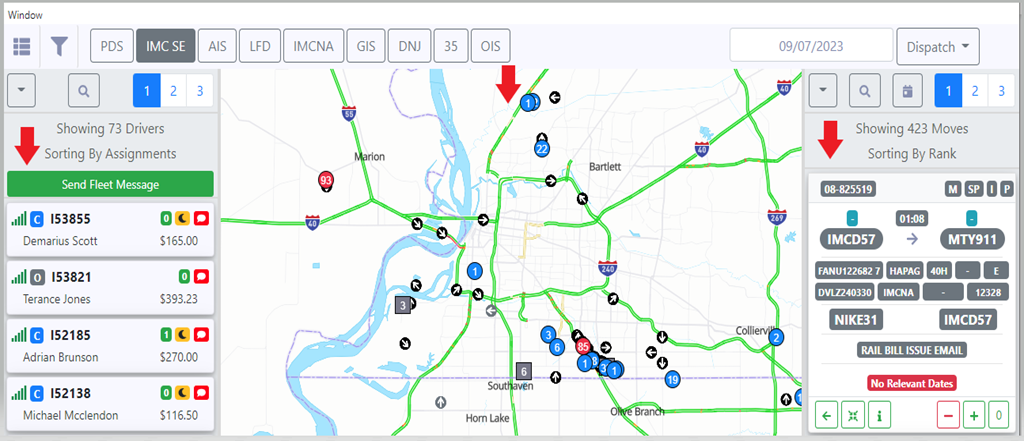
The D.O. is broken down into three sections (as above):
1) Driver List- Displays drivers by division or assigned dispatcher in real time with live move assignments
2) Map View- Provides driver’s current location as well as displaying customer locations and available moves
3) Move List- Displays all available dispatches or moves- loaded, empty, etc.
Refer to the additional Training Modules in this folder for instructions on how to navigate these sections.