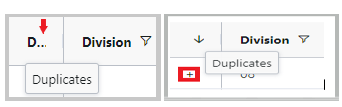
Duplicate Orders
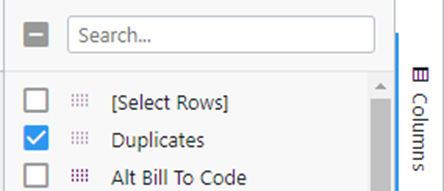
To identify any duplicate orders, first add “Duplicates” as a Column. (As below)
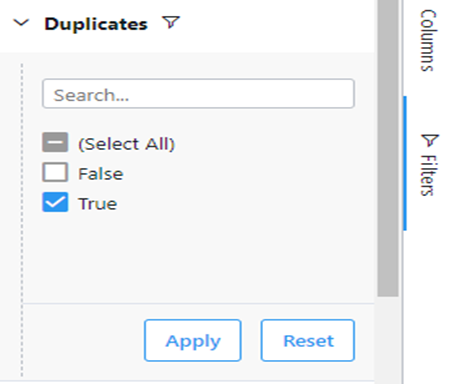
Next, select “Duplicates” (True) from the “Filters” section. (As below)
Any duplicate orders will display a “+” sign in the “Duplicates” column. (As below)