
Portal de Auditoría de Documentos – Estado en Retención
Para acceder al Portal de Auditoría de Documentos, ve a:
Al abrir el portal, “Rejected” es el estado predeterminado. El estado actual se muestra en la parte central superior de la página. (Como se muestra abajo)

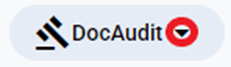
Lxs usuarixs tendrán cinco (5) estados para elegir en el menú desplegable “DocAudit” ubicado en la parte superior derecha de la página al abrir el portal. Haz clic izquierdo en el menú desplegable y luego clic izquierdo en el nombre del estado que quieras para seleccionarlo. (Como se muestra abajo)
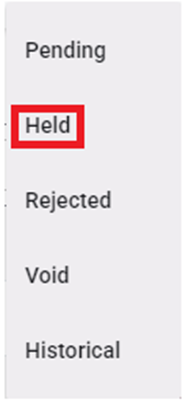
“Held” status will display those documents that are not yet in the Audit queue.
NOTE: If any customer required document has been uploaded into the Pro, regardless of order “Status”, these Pros will show under the “Held” status selection.
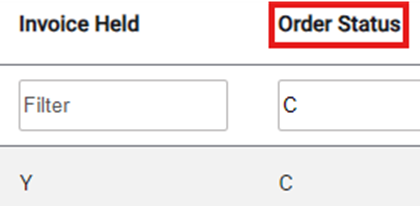
Users can adjust the filter under the “Invoice Held” and “Order Status” Columns to display only Pros in “C” (Completed) status as well as show those Pros with the ”InvHold” flag still set to “Y”. (As below)
To view a particular Pro in “Held” status, left click on the line to open the document viewing and (if applicable) action window.
Left click on the “Cancel” button at the bottom of the page to return to the list of Held Docs. (As below)
