The Railinc No Out-Gate report will identify those containers that have an updated equipment move in the Order Screen reflecting an Out-Gate event (date/time) but Railinc tracing service did not capture that event. The report should be used to confirm identified containers did, in fact, Out-Gate at the location listed in the applicable equipment move line.
NOTE: This report can be requested at any time but will ONLY display exceptions for the previous day. (0001 to 2359)
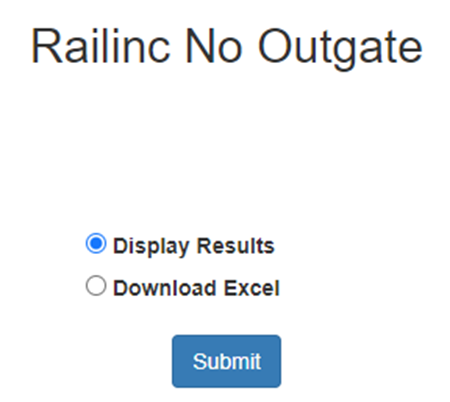
To access this report from SWS main menu, go to Easy Operations, left click on Utilities, then left click on Railinc No Out Gate. Next, select either “Display Results” or “Download Excel”, then left click on the “Submit” button. (As below)
The below message will display while results are loading:

NOTE: If no results are found, the below message will display:

If exceptions are found, the results will display in the format below:

Users can download the results by left clicking on the below action button.
Users can left click on the action button under the “Order Number” column to display the Order in the Order Screen. In the example below, the “Pickup time” listed on the report as 00:20 matches the Loaded Equipment Move out-gate time of 00:20.

NOTE: Keep in mind it is possible to receive a false positive from Railinc.