
Teclas de Acceso Rápido
Todas las pantallas SWS Modernized tienen "Teclas de Acceso Rápido" disponibles para usar.
Una vez que hayas seleccionado la pantalla deseada y se muestre, mantén presionado el botón "Ctrl" para mostrar las teclas de acceso rápido disponibles. (Como se muestra abajo)
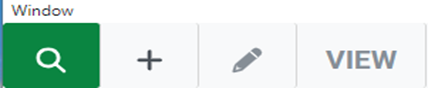
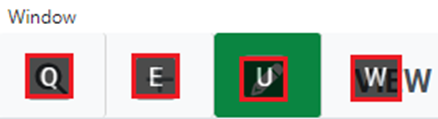
Para ejecutar una función o comando, escribe la letra de abajo mientras mantienes presionado el botón "Ctrl":
"Q" para Función de Consulta Al iniciar se mostrará este modo. (Modo Predeterminado)
"E" para Función de Agregar
“U” for Update Function
“W” for View Function
NOTE: The mouse can also be used to select a function by left clicking on the applicable icon. If a particular icon is not displayed on the screen (add or update record as examples), that action is permissions controlled.
Depending upon the screen, commands such as ”Save”, ”Process” and ”Delete” may also be available. Hit the “Esc” key to move to the command line in the screen. The selected command button will be outlined in blue. (See examples below)


If applicable, use the left/right arrows to select another available command. (See example below)

Once the desired command has been selected and is outlined in blue, hit the “Enter” key to execute that command.
