
Portal de Auditoría de Documentos – Estado Pendiente
Para acceder al Portal de Auditoría de Documentos, ve a:
Al abrir el portal, “Rejected” es el estado predeterminado. El estado actual se mostrará en la parte superior central del portal. (Como se muestra abajo)

Los usuarios tendrán cinco (5) estados para elegir en el menú desplegable “DocAudit” ubicado en la parte superior derecha de la página al abrir el portal. Haz clic izquierdo en el menú desplegable y luego haz clic izquierdo en el nombre del estado deseado para seleccionarlo. (Como se muestra abajo)
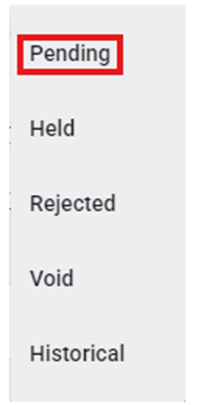
“Pending” status will display those documents that are in the queue waiting for Audit. To view a particular Pro in “Pending” status, left click on the line to open the document viewing and (if applicable) action window.
Left click on the “Cancel” button at the bottom of the page to return to the list of Pending Docs. (As below)
