PORTAL DE GESTIÓN DE DOCUMENTOS DEL CONDUCTOR
Búsqueda de conductor
Para acceder al Portal de Gestión de documentos del conductor, desde el menú principal de SWS ve a Easy Operations, haz clic izquierdo en Driver Information, luego haz clic izquierdo en Gestión de documentos del conductor.
Después, haz clic izquierdo en el botón de acción azul “Search Drivers” o, desde la barra negra de inicio, presiona la tecla “Tab” para colocar el cursor en el botón de acción y presiona “Enter”. (Como abajo)
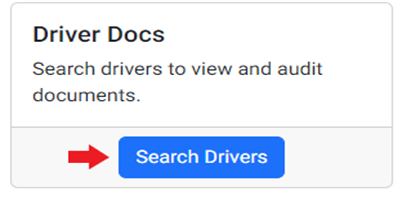
Se mostrará la siguiente pantalla:
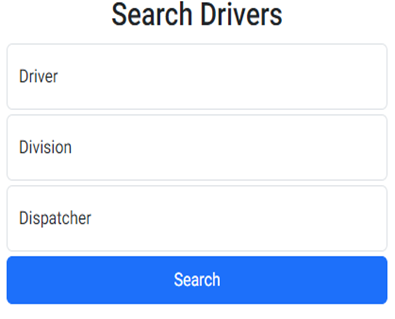
To search one specific driver, left click in the “Driver” field. A list of drivers will be displayed. Begin typing either the driver’s first or last name or driver number in the field. This field uses typeahead and will display all matches. Left click on the desired driver to select.
Next left click on the blue “Search” action button.
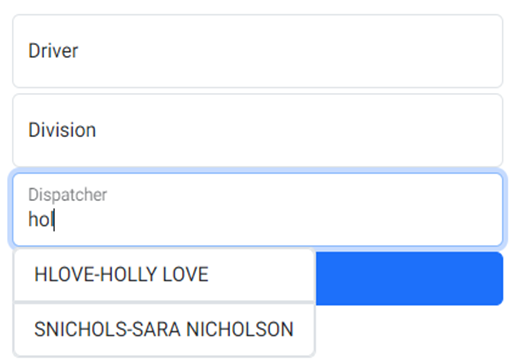
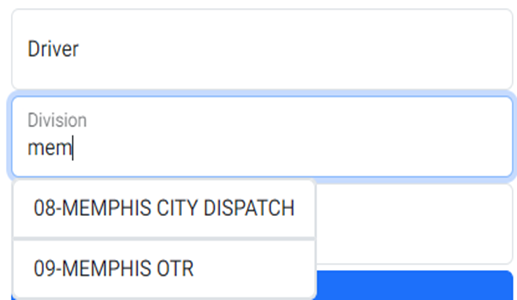
Alternatively, position the cursor in either the ”Division” or ”Dispatcher” field. These two fields also use typeahead functionality as explained above. Left click on the blue “Search” action button once selection has been made. (See below examples)
By “Division”:
Por “Dispatcher”: