
CONFIGURACIÓN DE AUTOMATIZACIÓN DE CORREO ELECTRÓNICO J1 PARA NSRR
Sigue los pasos a continuación para configurar el sitio web de NSRR para reenviar automáticamente J1 a la bandeja de entrada de IMC utilizada para procesar intercambios. Al completar este proceso, ya no será necesario cargar J1 desde NSRR en Power Direct.
DESCARGO DE RESPONSABILIDAD: El sitio web de NSRR es un sitio web de terceros y no es administrado por IMC. Los pasos descritos a continuación están actualizados a partir del 09/23/24. Si bien se harán los mejores esfuerzos para mantener los procedimientos actualizados, tenga en cuenta que NSRR podría cambiar estos procedimientos en cualquier momento.
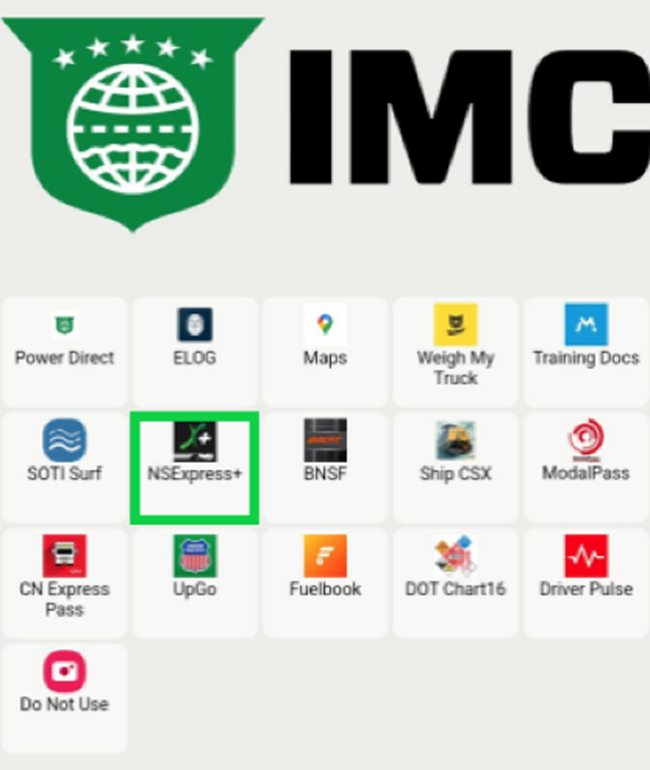
PASO 1: Desde tu tableta (o teléfono si es aplicable) toca la aplicación NSExpress+. (Como se muestra a continuación)
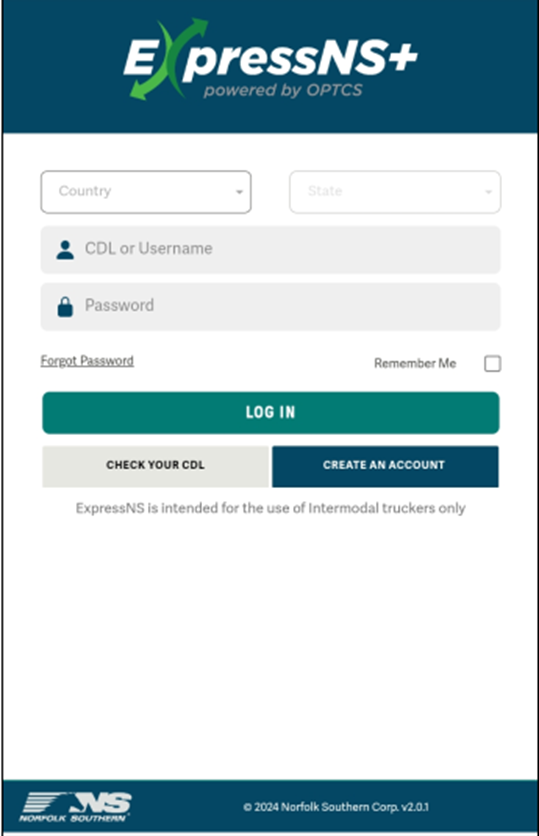
PASO 2: Desde la página de inicio de sesión, selecciona el "País" (CDL) "Estado" e ingresa el "CDL o Nombre de usuario" y "Contraseña" que utilizaste al registrarte por primera vez en el sitio web. A continuación, toca el botón "INICIAR SESIÓN". (Como se muestra a continuación)
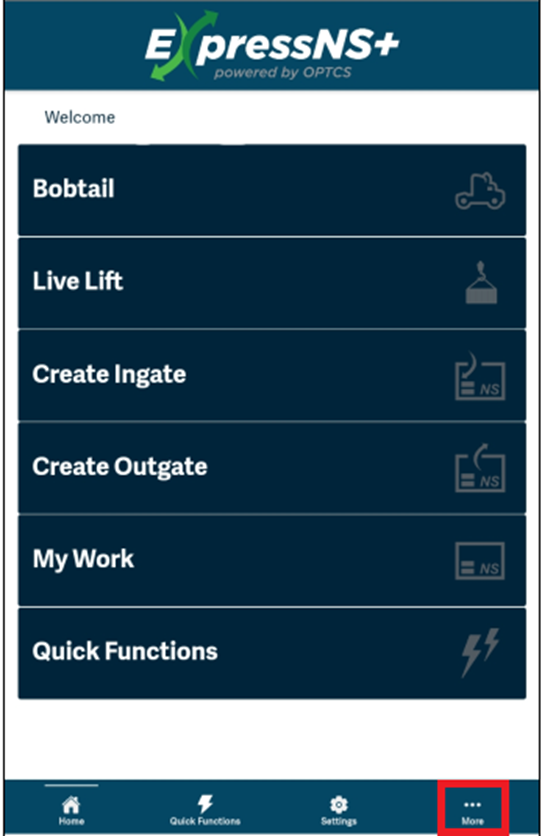
STEP 3: Tap on the “More” button located at the bottom right of the screen. (As below)
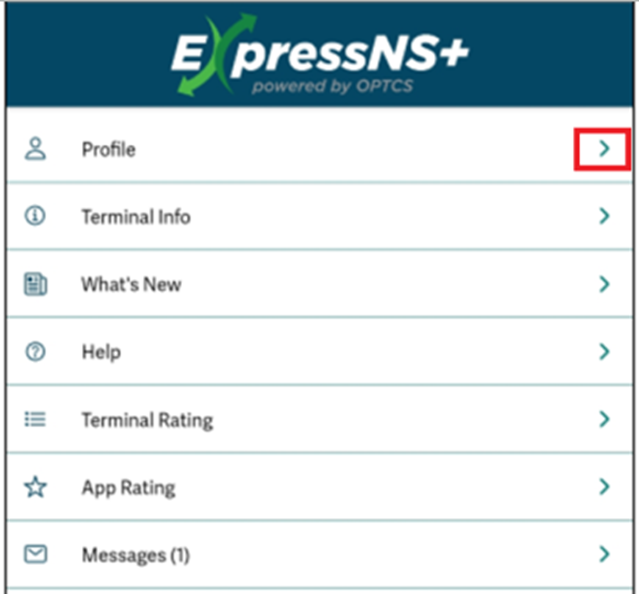
STEP 4: Tap on the right arrow to the right of “Profile”. (As below)
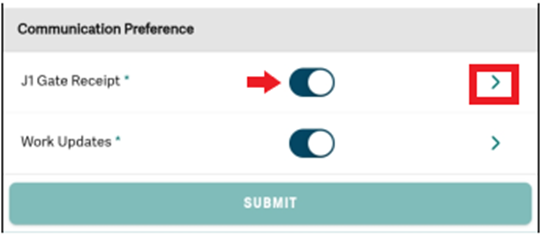
STEP 5: On the “Update Profile” screen, scroll down to the bottom of the screen. Under “Communication Preference”, tap on the right arrow to the right of “J1 Gate Receipt”. The toggle should be to the right which indicates the option is “active”. (As below)

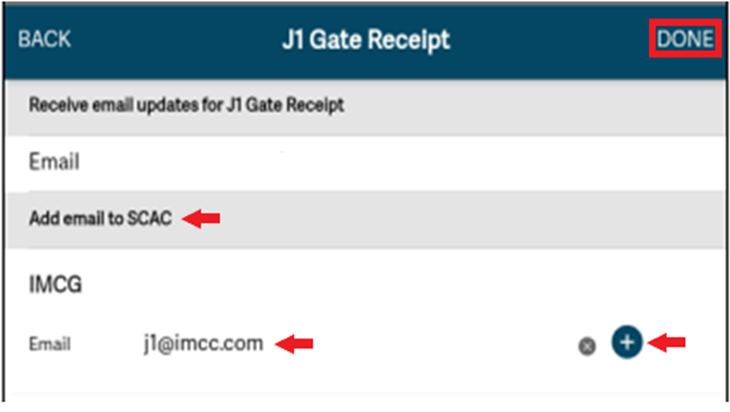
STEP 6: Driver’s personal email address will display in the “Email” field. Under “Add email to SCAC” IMCG will be displayed. Tap on the “Email” line directly below, then type [email protected]. Next, tap the “+” button to the right of the “Email“ field to add. Lastly, tap on the “DONE” button at the top right of the screen. (As below)
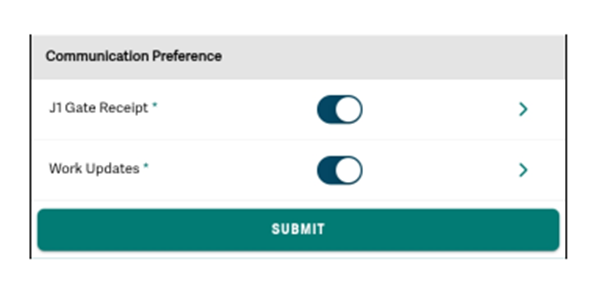
STEP 7: Under “Communication Preference”, be sure the toggle is to the right. Next, tap on the “Submit” button. (As below)
NOTA: Los conductores no pueden ingresar su propia dirección de correo electrónico para recibir los recibos de intercambio y luego reenviarlos a la dirección de correo electrónico J1 de la empresa, ya que el sistema los rechazará. Los intercambios deben recibirse directamente de la dirección de correo electrónico ferroviaria.