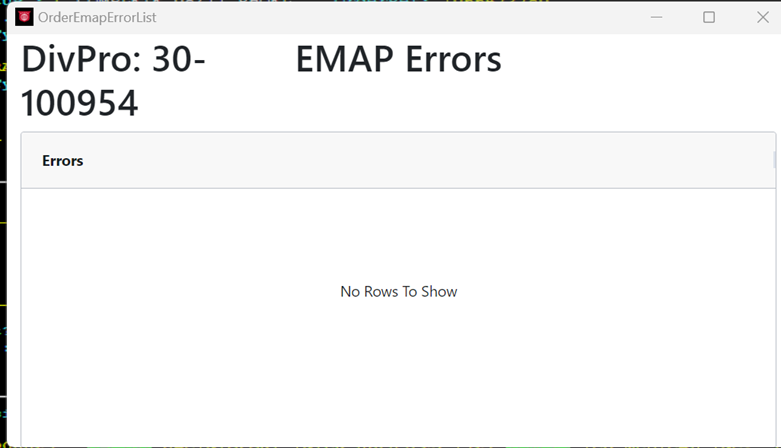
Order Screen – EMAP ERRORS
From SWS main menu go to Customer Service, left click on Order Entry, then left click on Order. Next, type a “Q” to “Query”. Next, “Query” the applicable Pro.
When you remove the Invoice Hold flag on an order, the order will go through a validation process. If the Pro falls outside the established invoicing rules, the Exception Management Audit Portal (EMAP) will display the error message below and will not allow the Invoice Hold flag to be removed.

To view the specific EMAP errors from the order screen (instead of going to the EMAP portal), follow these steps:
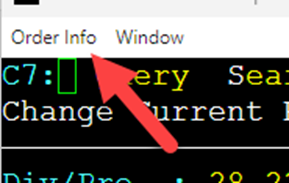
Allez au coin supérieur gauche de l'écran de commande.
Cliquez sur Infos de commande
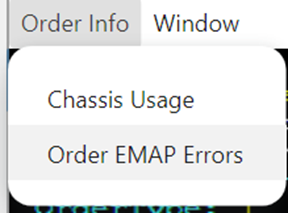
Sélectionnez Erreurs EMAP de commande
Une fenêtre modale s'affichera listant les problèmes de validation. (Exemple ci-dessous)
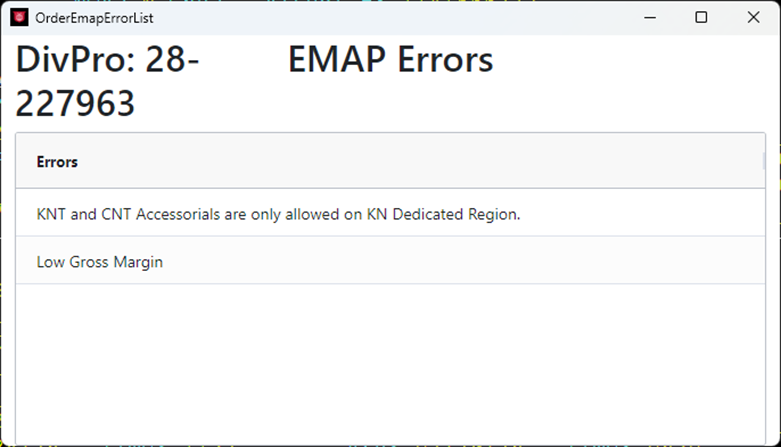
REMARQUE: Certaines erreurs peuvent être corrigées directement à partir de l'écran de commande. La commande peut ensuite être revalidée en tentant de retirer le drapeau Blocage de facture à nouveau.
S'il n'y a pas d'erreurs, la fenêtre modale s'affichera comme suit: